MeritScan
From paper assessments to class results teachers can check.
I’m building MeritScan for teachers who assess students on paper. Print an assessment, scan the completed papers, and check any flagged answers before seeing which questions the class needs to revisit. Multiple-choice scanning runs locally.
RoleProduct design and build

Resolve flagged answers
MeritScan reads multiple-choice answer sheets locally. When it flags an uncertain answer or finds more than one mark, the teacher can check the scan, record what should count, and move to the next flagged paper.
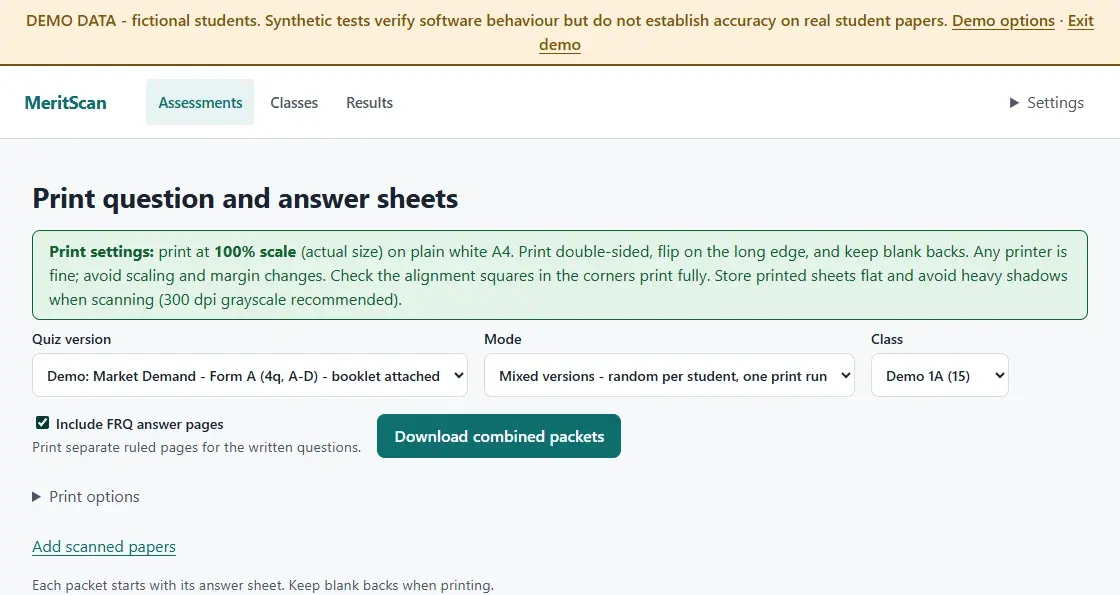
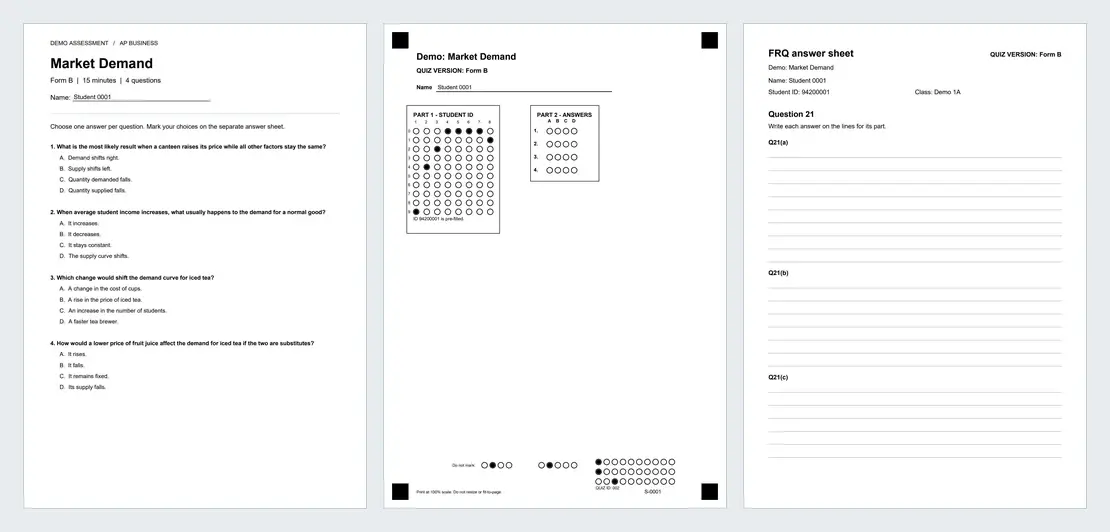
Print personalized assessment packets
Teachers can print question booklets and named answer sheets for a whole class. A single print run can include different quiz versions and pages for handwritten responses.
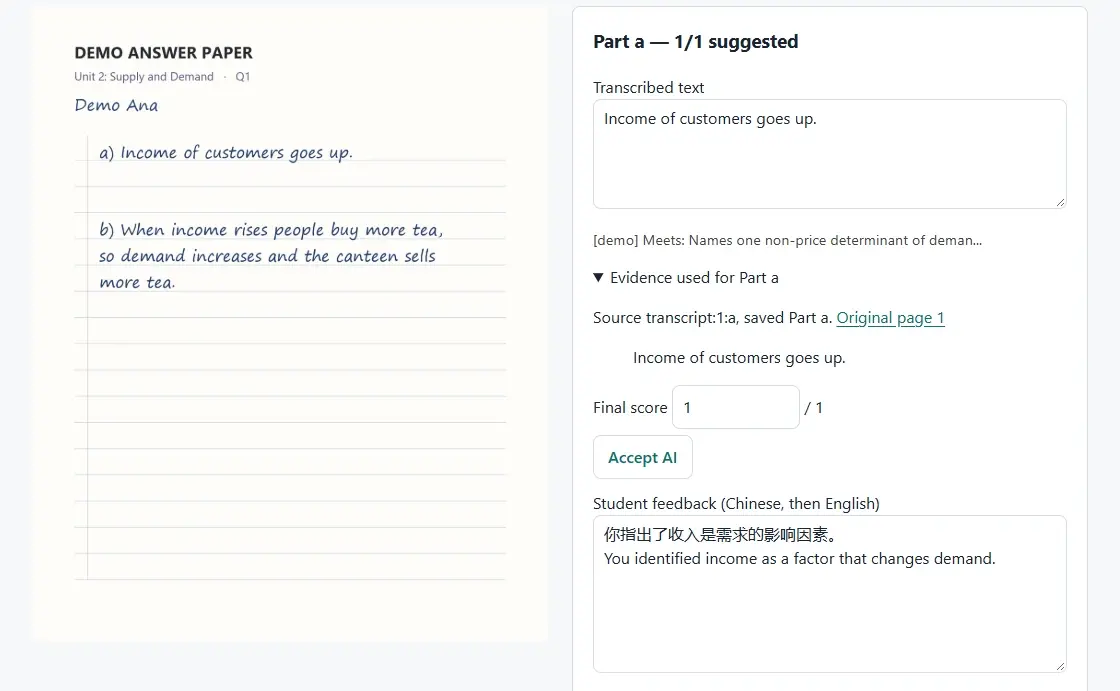
Review handwritten answers against a rubric
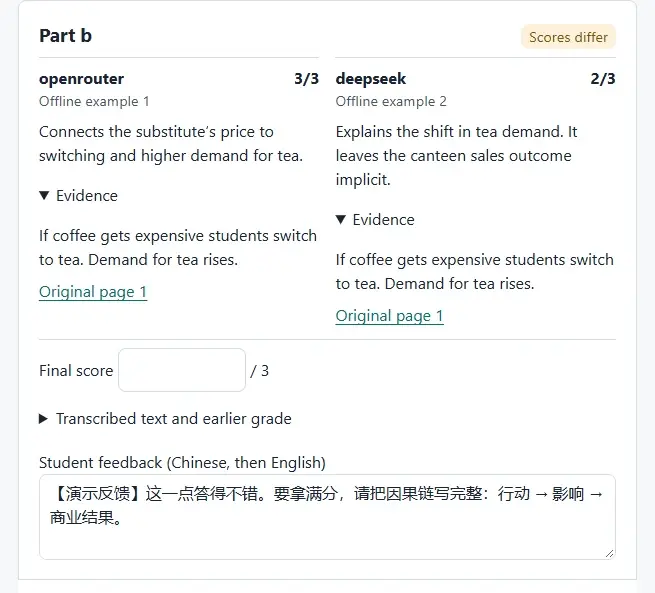
The written-response workflow shows the scanned answer beside suggested marks and evidence for each rubric item. Teachers can change the final score. Cloud AI review is optional and starts when a teacher requests it.
Compare independent model checks
A teacher can request a second model check and compare the scores and evidence for the same rubric item. Where the models disagree, the teacher can inspect the answer and decide what to award.
See what the class needs to revisit
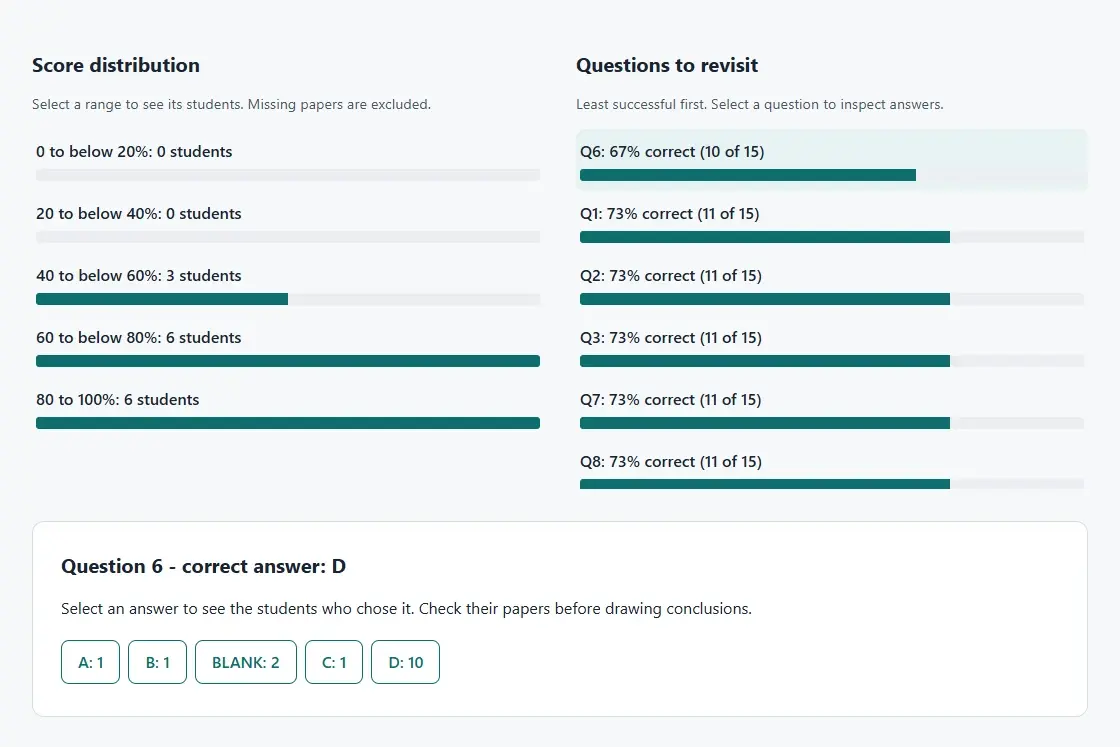
Class results show the score distribution and which questions students struggled with. Open a question to see how many students chose each answer and use that breakdown to plan what to revisit.
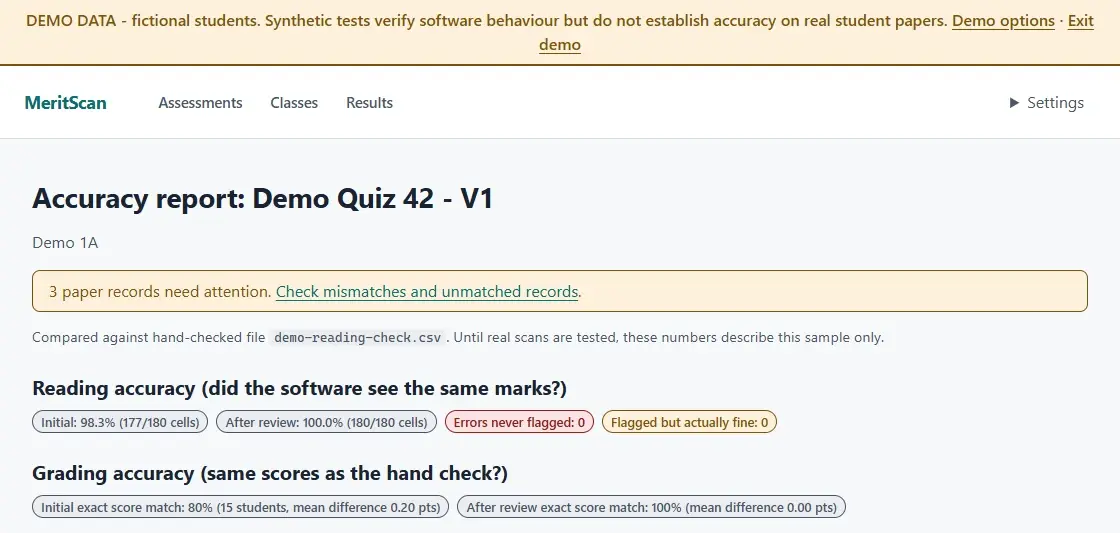
Check results against hand grading
Teachers can enter hand-checked answers and compare them with the scan. The accuracy report separates agreement on individual bubble readings from agreement on final scores and shows how both change after teacher review.